Fixing MYOB FileConnect
MYOB is a reasonably full-featured small business accounting package. It is a miserable failure as a networked application, though, and obtaining quality support is a time- and cash-intensive proposition. MYOB's network architecture is basically a file-lock/network-messaging system that is inefficient, bandwidth-intensive, and just plain slipshod design...and, to add insult to injury, the MYOB FileConnect application, which is the "server" component, is among the most poorly behaved applications I've ever had the displeasure of using.
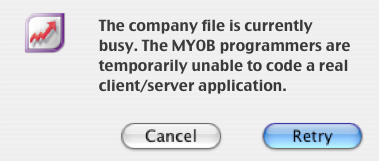
To give the programmers their due, Apple has pulled the rug out from under their developers multiple times over the past decade. Yellow Box, Blue Box, Carbon, Cocoa, PowerPC to Intel, Mac OS 9 to Mac OS X. You can write an old, sloppy DOS app and it will still run on Vista (usually)--but you really have to stay on your toes to be an Apple developer. Until about mid-2007, the Mac version of MYOB was something of a red-headed stepchild, but MYOB made the strategic decision to beef up their Mac development, and the results are beginning to show. The latest release (as of 12.0.9A) contains significant improvements in client-to-client communication. Transaction recording times are greatly improved, which means the dreaded "retry" dialog pops up much less frequently. It's still not a true client/server application, but overall network performance is vastly improved over previous versions.
Improvements notwithstanding, significant hurdles remain to be overcome before MYOB will really qualify as a solid network application (count it as job security, boys).
When MYOB FileConnect gets into a bind for any reason--a network user loses connection, for example--it has no graceful recovery method. It just stops working. The disconnected user can't re-logon, and other users are constantly barraged with timeouts and error messages.
Fixing MYOB FileConnect requires stopping the application--a straightforward task that the AccountEdge preference pane is frequently unable to accomplish--and then removing the stale lockfiles, which are part of the lousy file-lock/network-messaging scheme that MYOB calls a "network edition." If the lockfiles aren't removed, then MYOB won't allow anyone to access the data file unless the file is renamed, which is generally not an acceptable workaround. In addition, MYOB FileConnect does not properly close its network socket connections, and it refuses to start up if those sockets are in use--so we have to wait for the orphaned connections to timeout, which usually takes several minutes. You'd think that MYOB would include this kind of basic functionality, but unfortunately it doesn't.
The script must be run as an admin user (because it uses sudo) on the machine running MYOB FileConnect. All users should quit MYOB prior to running this script.
Save the script to a convenient location (your desktop, for example), and name it something ending with .command to make it double-clickable in the Finder.
A final note: This script is provided as-is, and works effectively for me, on Mac OS X Server 10.4.11 and Mac OS X 10.5.4, with MYOB AccountEdge Network Edition 2006 and 2008, in my own little world. It is not guaranteed to work for you, and I cannot be held responsible if this script destroys your data, fries your hard drive, or runs off with your girlfriend.
#!/bin/sh
#
# CRITICAL: Be sure all users have quit MYOB prior to running this script!
#
# I recommend setting MYOB FileConnect to use a specific port
# in the AccountEdge preference pane. Enter that port number here.
PORT=56789
#
echo "Attempting to stop MYOB..."
# Try to stop it the "right" way (doesn't usually work)
sudo /etc/aene/stop_dm
sleep 7
# Check to see if the "right" way didn't work
MYOB=`ps ax|grep "MYOB FileConnect"|grep -v grep|cut -c1-7`
# Kill any extant MYOB processes
for PROC in $MYOB
do
  sudo kill $PROC
done
# Wait for orphaned network connections to timeout
echo "Checking for broken MYOB network connections..."
ORPHS=`netstat -a | grep $PORT | wc -l`
ORPHS=`expr $ORPHS`
echo "Waiting for broken connections to timeout (could take several minutes)..."
while [ $ORPHS != 0 ]
do
  sleep 10
  ORPHS=`netstat -a | grep $PORT | wc -l`
  ORPHS=`expr $ORPHS`
done
echo "Removing old lockfiles..."
sudo rm /Library/Application\ Support/AccountEdge\ NE/Databases/*.flk
echo "Starting MYOB..."
sudo /Library/StartupItems/MYOBFileConnect/MYOBFileConnect start
sleep 5
MYOB=`ps ax|grep "MYOB FileConnect"|grep -v grep|cut -c1-7`
if [ "$MYOB" = "" ]
then
  echo " "
  echo "MYOB FileConnect did not start. Use the AccountEdge preference pane to start it."
  echo " "
else
  echo " "
  echo "MYOB FileConnect should now be running properly."
  echo " "
fi